
Help other people decide, vote up or down?
A modern Web UI for your XBMC
Description
A modern Web UI for your XBMC. Browse your Music, Movies or TV Shows from the comfort of your own web browser. You can play media via XBMC or stream it in your browser. Works best with Chrome but plays well with most modern browsers. For more, see github.com/jez500/chorus
How To Install
Direct installation
Via Repository
Via Directory
- Download the addon.
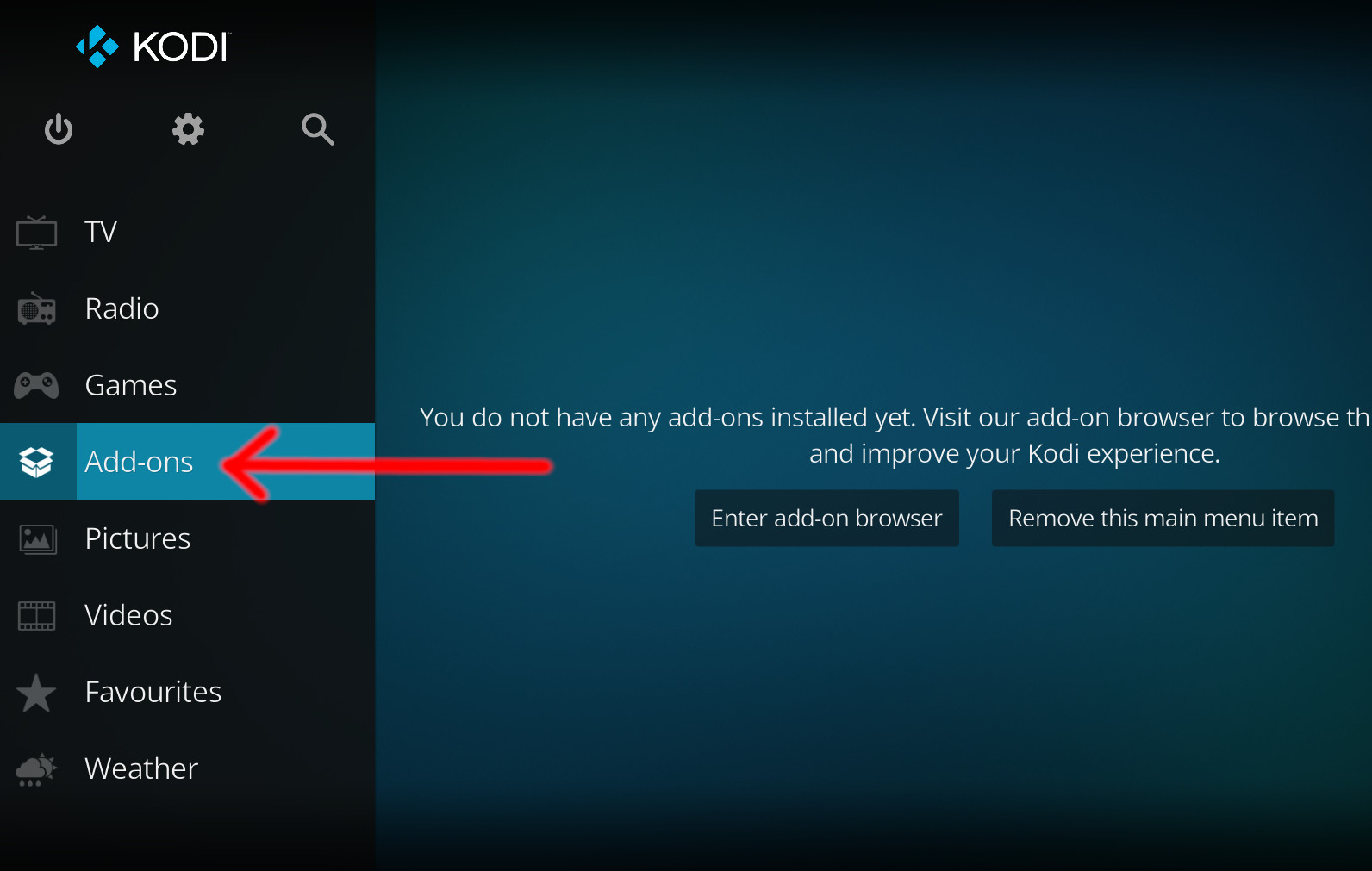
- Open up Kodi and navigate into Add-ons.
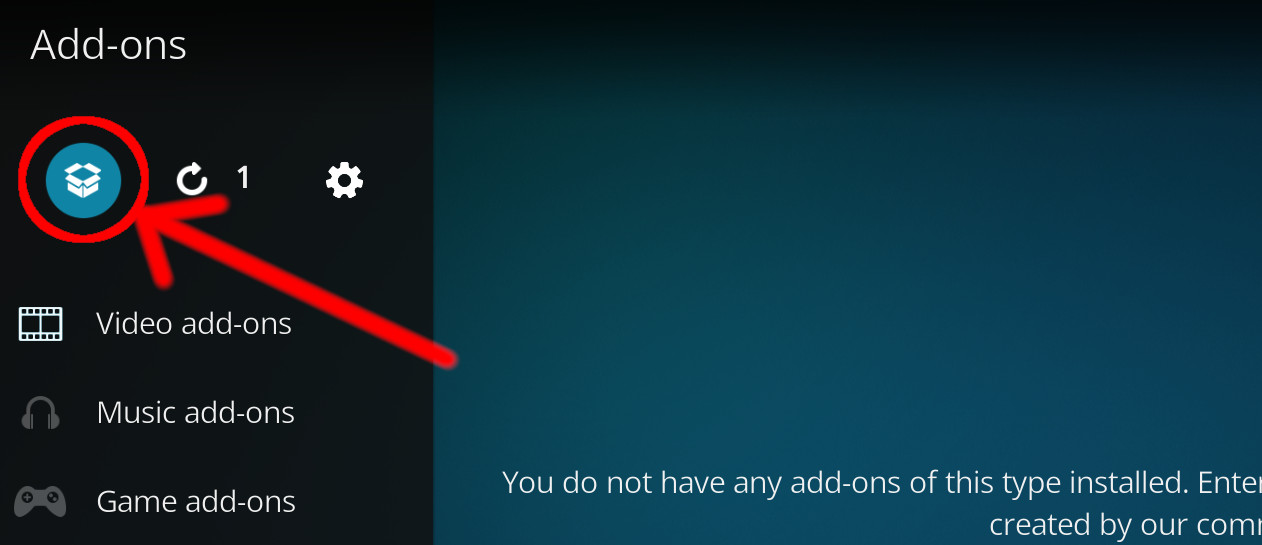
- Click the open box icon (above the side-menu).
- Select Install from zip file.
- If this is the first addon you install, Kodi will warn you about installing addons from "unknown sources" for security reasons - it's your call.
- In any case, Kodi will warn you, you may not get auto-updates for this addon.
- Navigate into the location where you've downloaded the addon to and select it to Install.
For a full installation guide please click here.
Additional Information
| Updated: | January 13, 2021 |
In Repositories: |
|
| Platform: | all |
Alternative Sources: | Download 1 |
| License: | Not specified |
Depends On: |

![SuperRepo Category Video [Krypton][v7]](/scrapekod/icons/superrepo.kodi.krypton.video.png)


![SuperRepo All [Jarvis][v7]](/scrapekod/icons/superrepo.kodi.jarvis.all.png)
![SuperRepo Category Video [Jarvis][v7]](/scrapekod/icons/superrepo.kodi.jarvis.video.png)