

Protect your Privacy! use a VPN to download & surf annonymusly.
Identifying data, such as your IP: 216.73.216.6, is visible when you surf the Net. When using a VPN, your data is being switched by that of the VPN and not even your ISP can tell where you surfed.
Better safe than sorry...
Save watched state of movies and TV-series episodes independent from filenames
Disclaimer
This script does not regard the file format. A Movie watched in DVD quality will also set the 1080p version as watched.
Description
Export: Searches the Kodi-Database for watched files. Determine imdb-id and thetvdb-id to identify movies and TV-episodes. Then save the list to a new independent table. Import: Set the watched state for each video file in Kodi. Automatic background process without user interaction.
News
1.3.6 - Dependency update for Kodi Nexus
How To Install
Direct installation
Via Repository
Via Directory
- Download the addon.
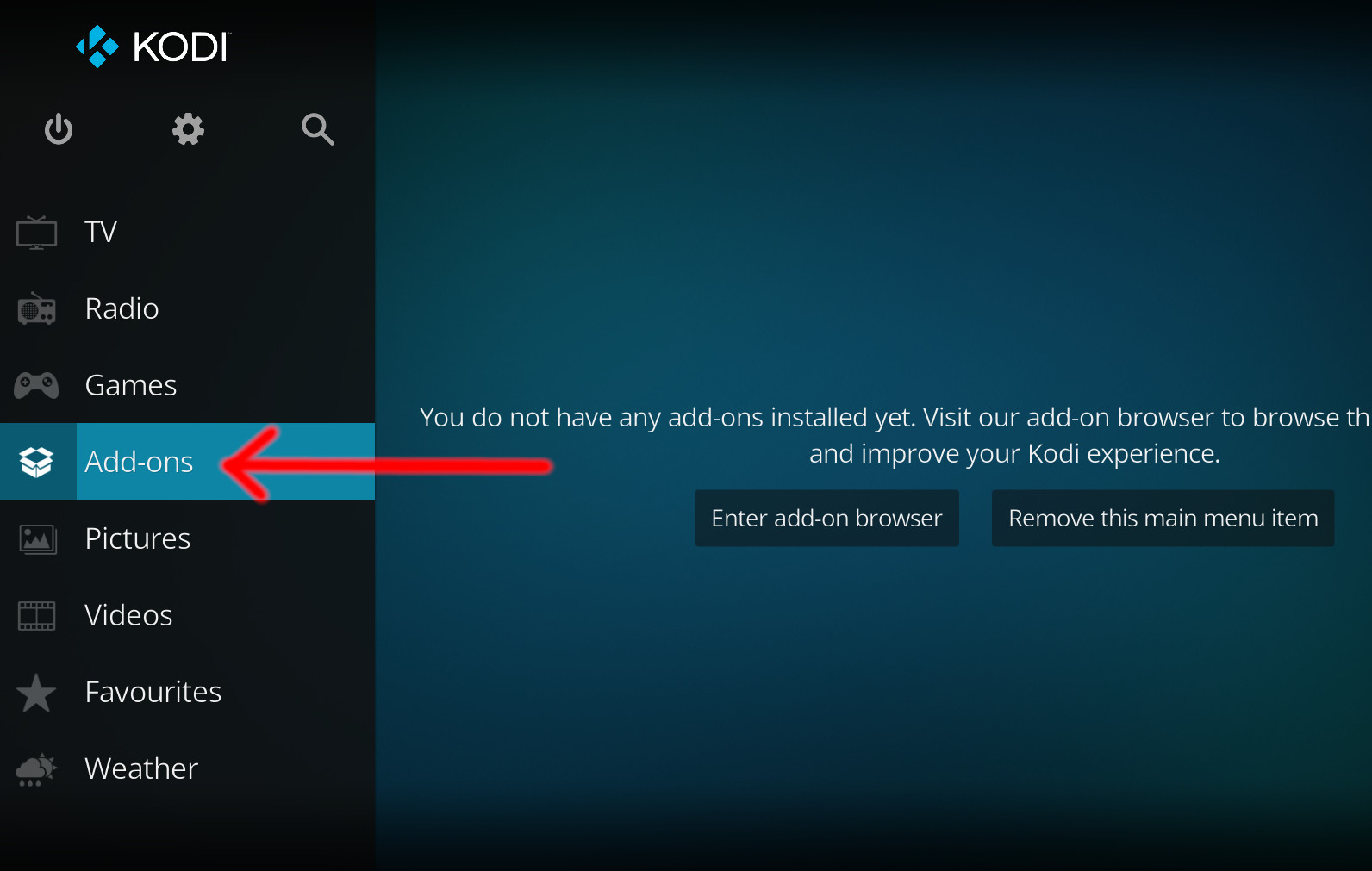
- Open up Kodi and navigate into Add-ons.
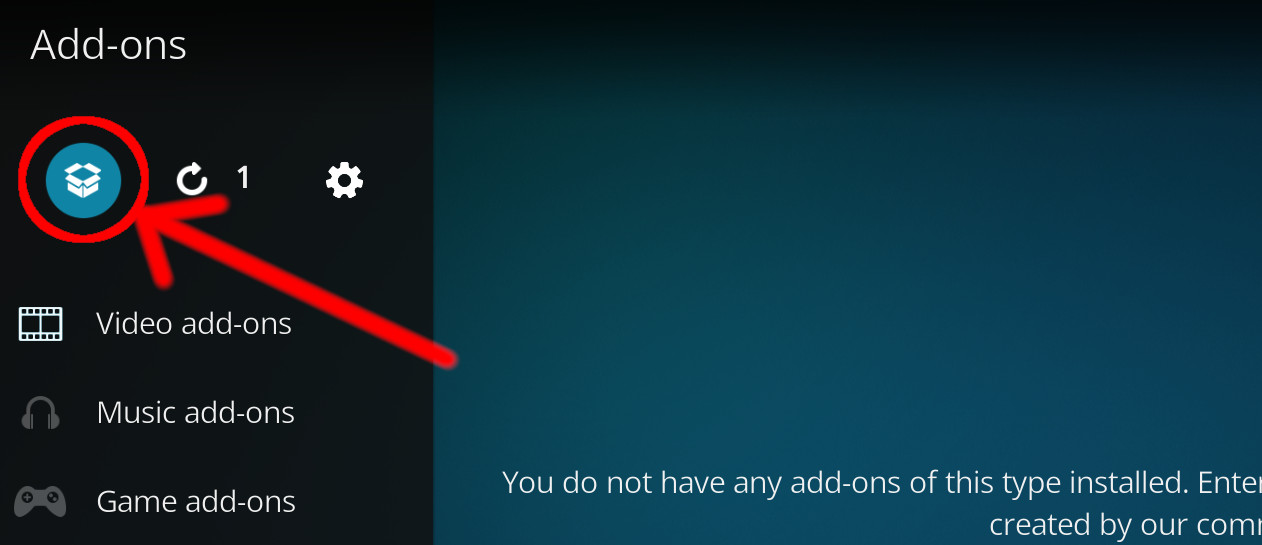
- Click the open box icon (above the side-menu).
- Select Install from zip file.
- If this is the first addon you install, Kodi will warn you about installing addons from "unknown sources" for security reasons - it's your call.
- In any case, Kodi will warn you, you may not get auto-updates for this addon.
- Navigate into the location where you've downloaded the addon to and select it to Install.
For a full installation guide please click here.
Additional Information
| Updated: | May 14, 2024 |
In Repositories: |
|
| Platform: | all |
Alternative Sources: | Download 1Download 2 |
| License: | GPL-2.0-or-later |
Depends On: |