

Protect your Privacy! use a VPN to download & surf annonymusly.
Identifying data, such as your IP: 216.73.216.6, is visible when you surf the Net. When using a VPN, your data is being switched by that of the VPN and not even your ISP can tell where you surfed.
Better safe than sorry...
Propose to play the next episode automatically
Description
A service add-on that shows a Netflix-style notification for watching the next episode. After a few automatic iterations it asks the user if he is still there watching. A lot of existing add-ons already integrate with this service out-of-the-box.
News
v1.1.8 (2022-09-13) - Never ask if Still Watching? if playedInARow is 0 - Still Watching? checks number of plays not number+1 v1.1.7 (2022-09-03) - Update check for filename of multi-part episodes - Check for physical disc or disc image being played - Translation update to Russian - Fix CI workflow v1.1.6 (2022-03-07) - Fix for missing mediatype video info with addon video content - Translation updates to Croatian, Japanese, Korean, Swedish and Finnish - New translation for Taiwanese Mandarin - Use onAVStarted instead of onPlayBackStarted - Fix for Kodi not using the video player/playlist to play videos - Fixes misalignment of system.time and endtime v1.1.5 (2021-02-21) - Fix playlists to work with non-library content - Fix to prevent unwanted playback when using playlist queueing method - New translation for Finnish v1.1.4 (2020-12-03) - Fix problem causing pop-up to not appear - Translation updates to Romanian, Russian and Spanish v1.1.3 (2020-10-14) - Enable customPlayTime by default - Do not seek to the end before playing next episode - Add Kodi v17 compatibility - Fix logging on Kodi v19 (Matrix) after recent breakage - Enqueue the next episode in the playlist - Translation updates to German
How To Install
Direct installation
Via Repository
Via Directory
- Download the addon.
- Open up Kodi and navigate into Add-ons.
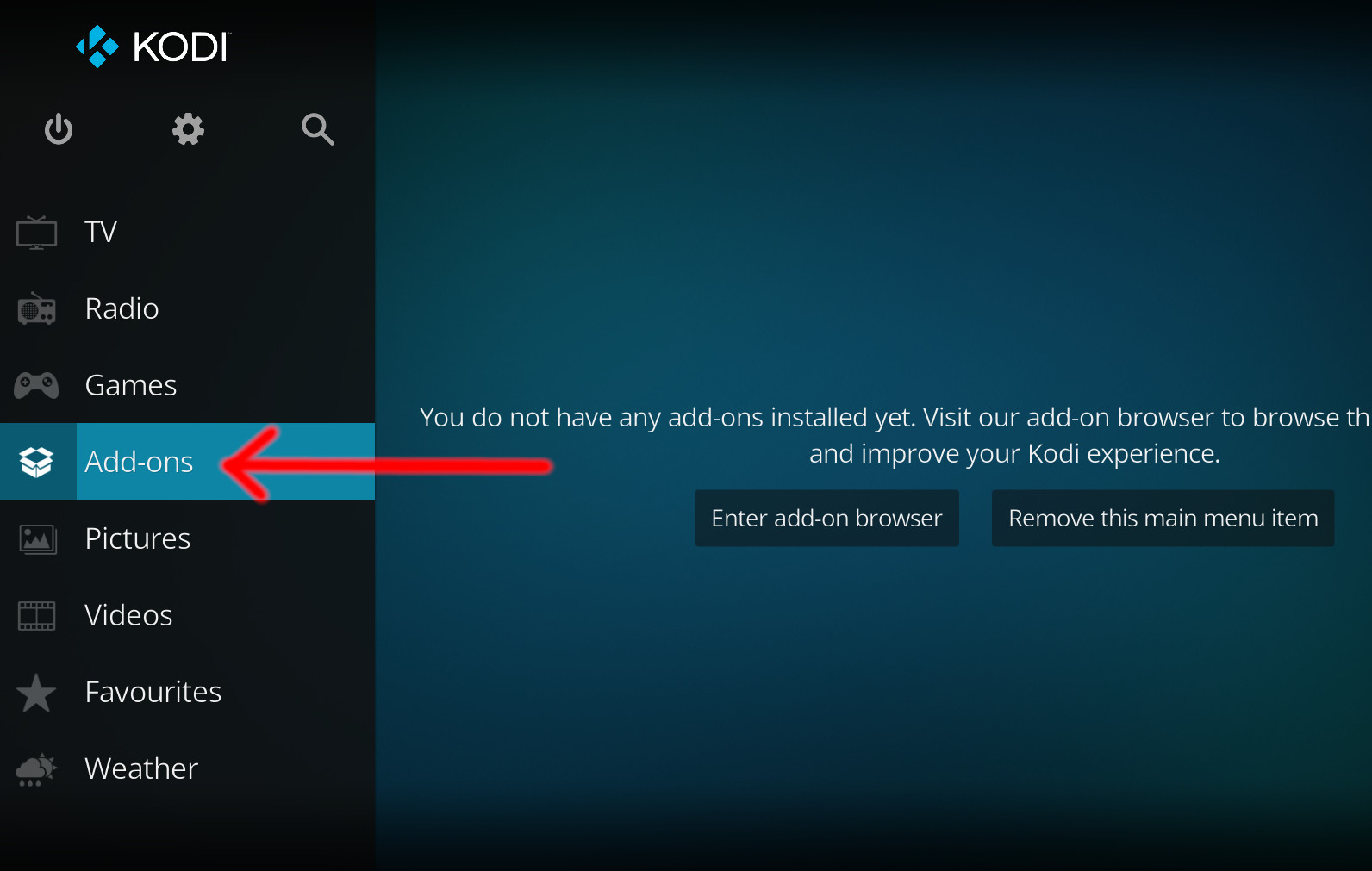
- Click the open box icon (above the side-menu).
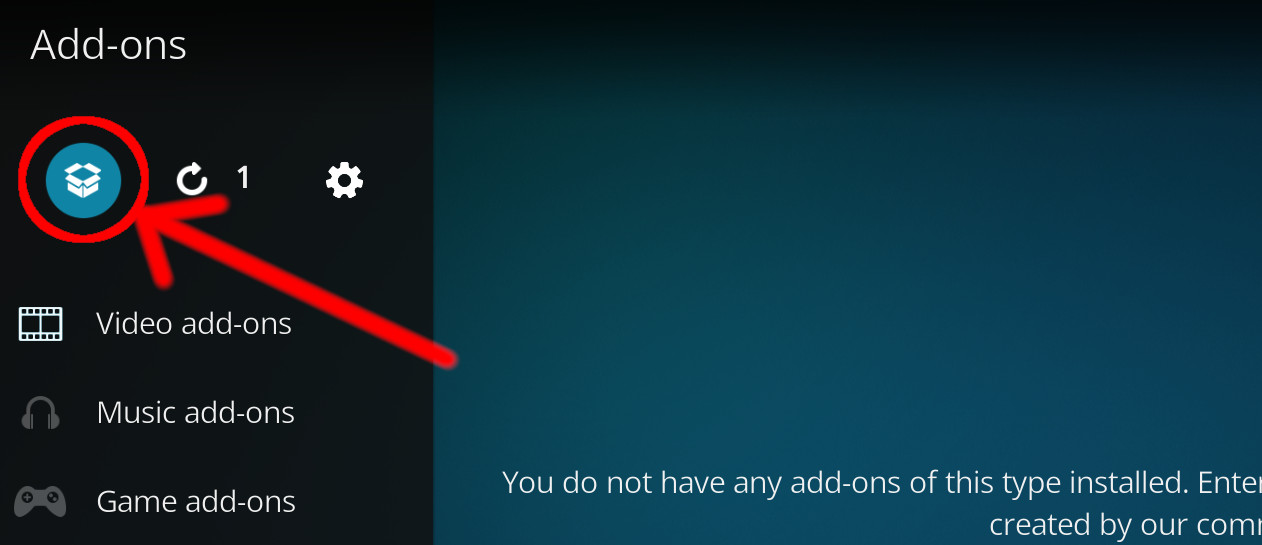
- Select Install from zip file.
- If this is the first addon you install, Kodi will warn you about installing addons from "unknown sources" for security reasons - it's your call.
- In any case, Kodi will warn you, you may not get auto-updates for this addon.
- Navigate into the location where you've downloaded the addon to and select it to Install.
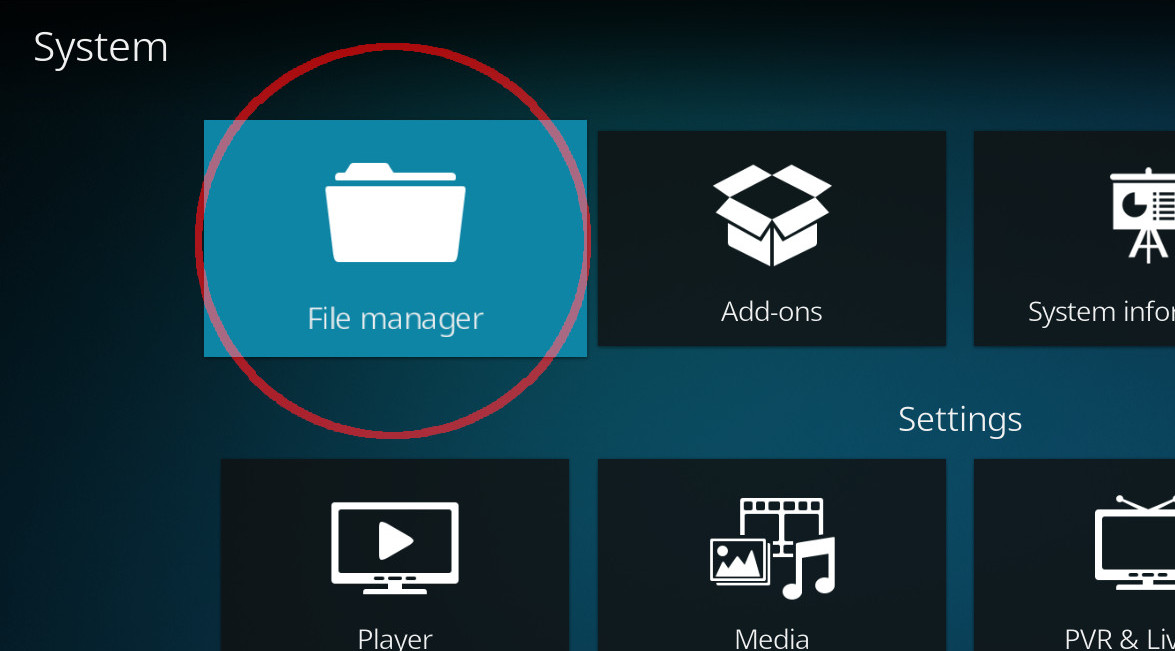
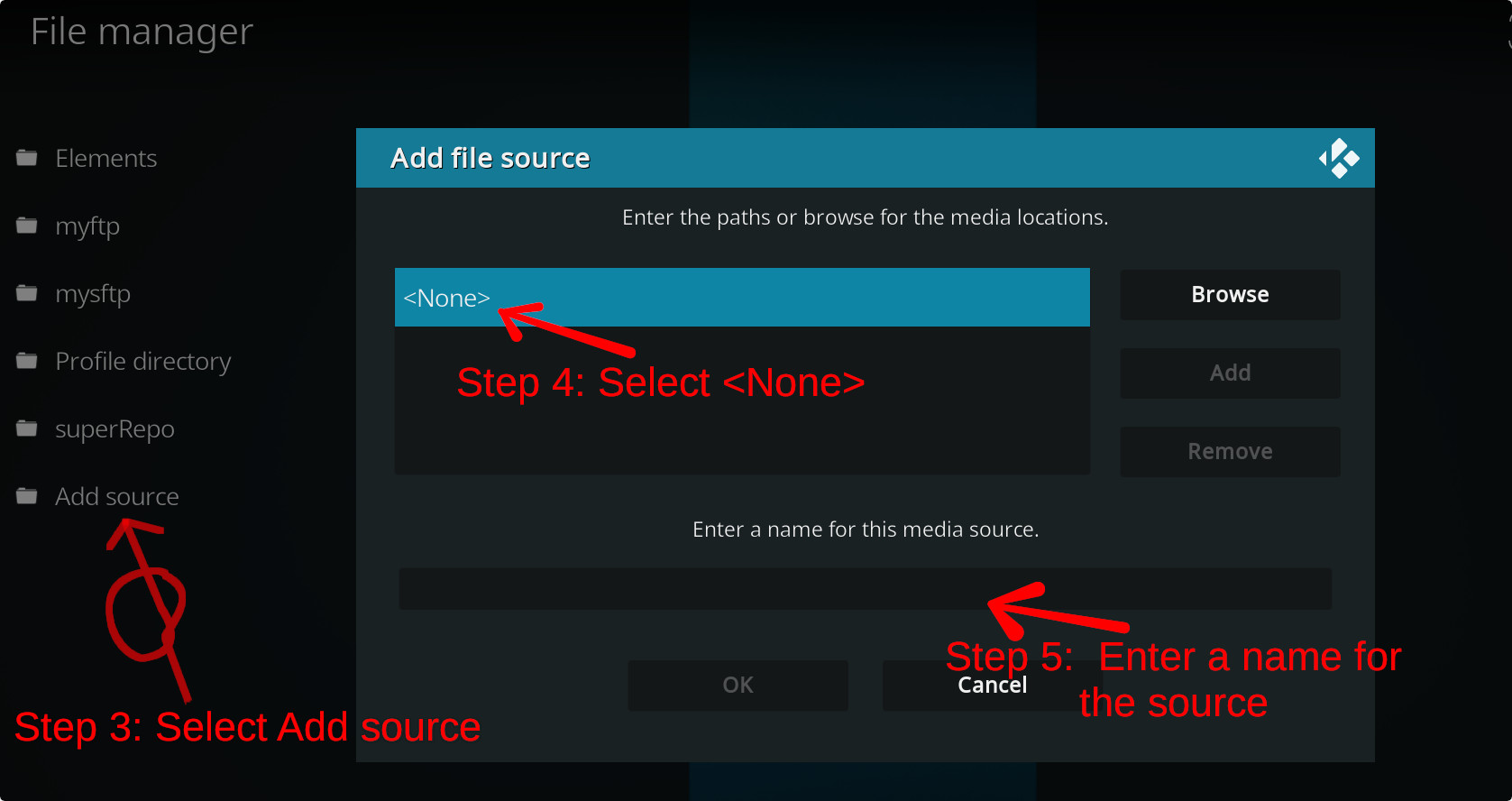
For a full installation guide please click here.
Additional Information
| Updated: | July 15, 2023 |
In Repositories: |
|
| Platform: | all |
Alternative Sources: | Download 1Download 2Download 3Download 4Download 5Download 6 |
| License: | GPL-2.0-only |
Depends On: |