

Protect your Privacy! use a VPN to download & surf annonymusly.
Identifying data, such as your IP: 216.73.216.6, is visible when you surf the Net. When using a VPN, your data is being switched by that of the VPN and not even your ISP can tell where you surfed.
Better safe than sorry...
Automatic subtitles for your content
Description
Auto download the best subtitle automatically as soon you start the video.Special thanks to OpenSubtitles.org for providing a unique UA for Subloader.
News
G-Mod 11.23.2022G-Man made adjustments to the name and addon.xml file to display in Kodi's subtitles folder. 0.1.7 11.10.2022helviojr made a patch so the function videosource() returns the stream url if it is a .strm file. That way it can detect the addon used to open the file/url and can use the addons exclusions. 0.1.6 05.05.2021Bug fix on open subtitle dialog.0.1.5 21.02.2021Subloader now runs on KODI v19 (Special thanks to peno/64).Added python 3 compatibility.Some grammatical corrections (Special thanks to AlexNaga).0.1.4 23.07.2019Added Dutch language (Special thanks to Tinuz97).Clean up project files.
How To Install
Direct installation
Via Repository
Via Directory
- First make sure you have the repository installed
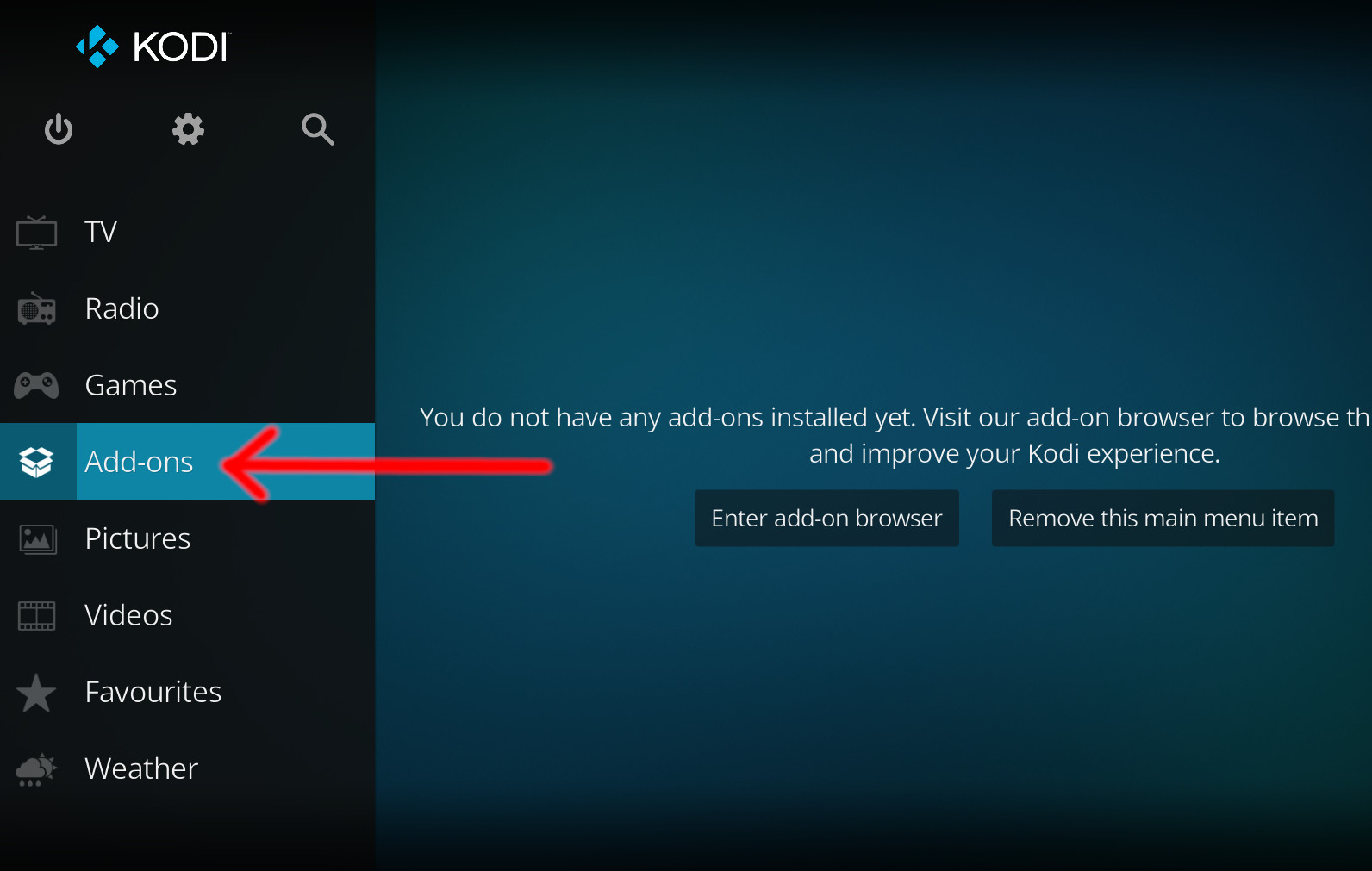
- Open up Kodi and navigate into Add-ons.
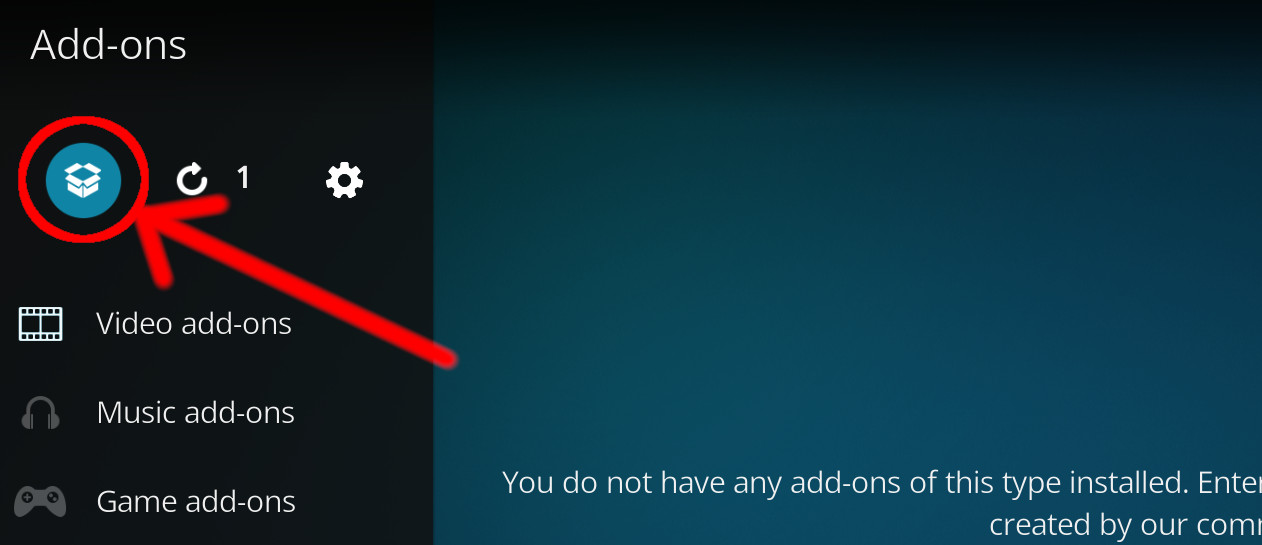
- Click the open box icon (above the side-menu).
- Select Install from repository.
- If you have at least one repository (besides the default) installed:
Select the repository you wish to install from.
- If you have at least one repository (besides the default) installed:
- Select the category the addon belongs to, in this case it should be service.
- Select SubLoader.
- Click Install.
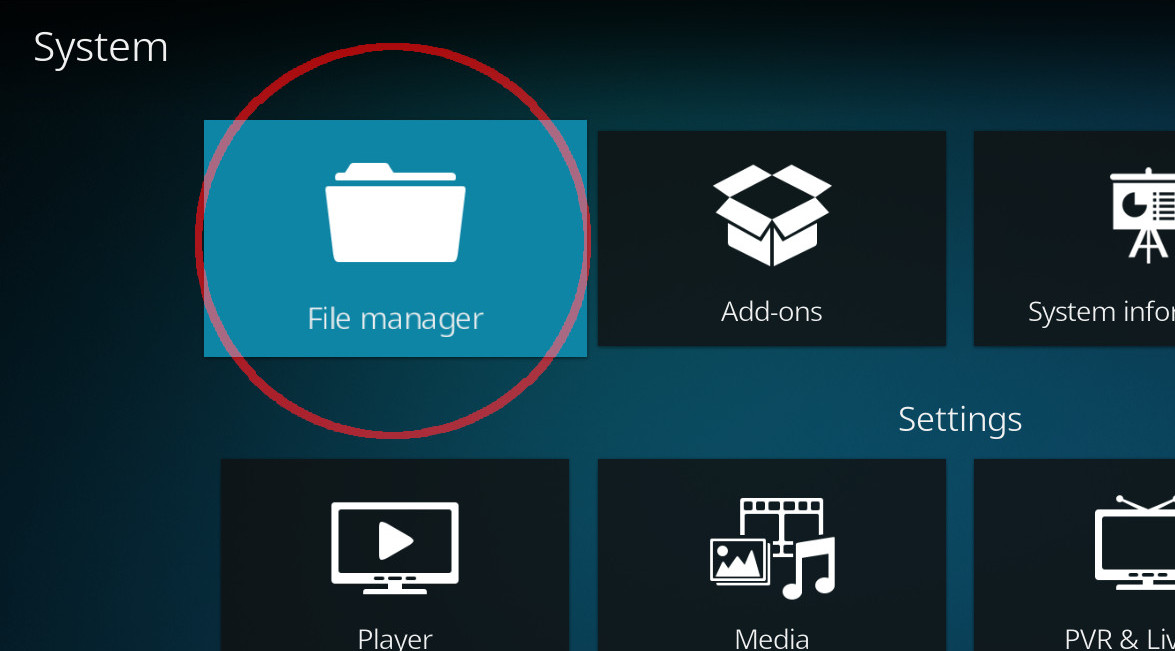
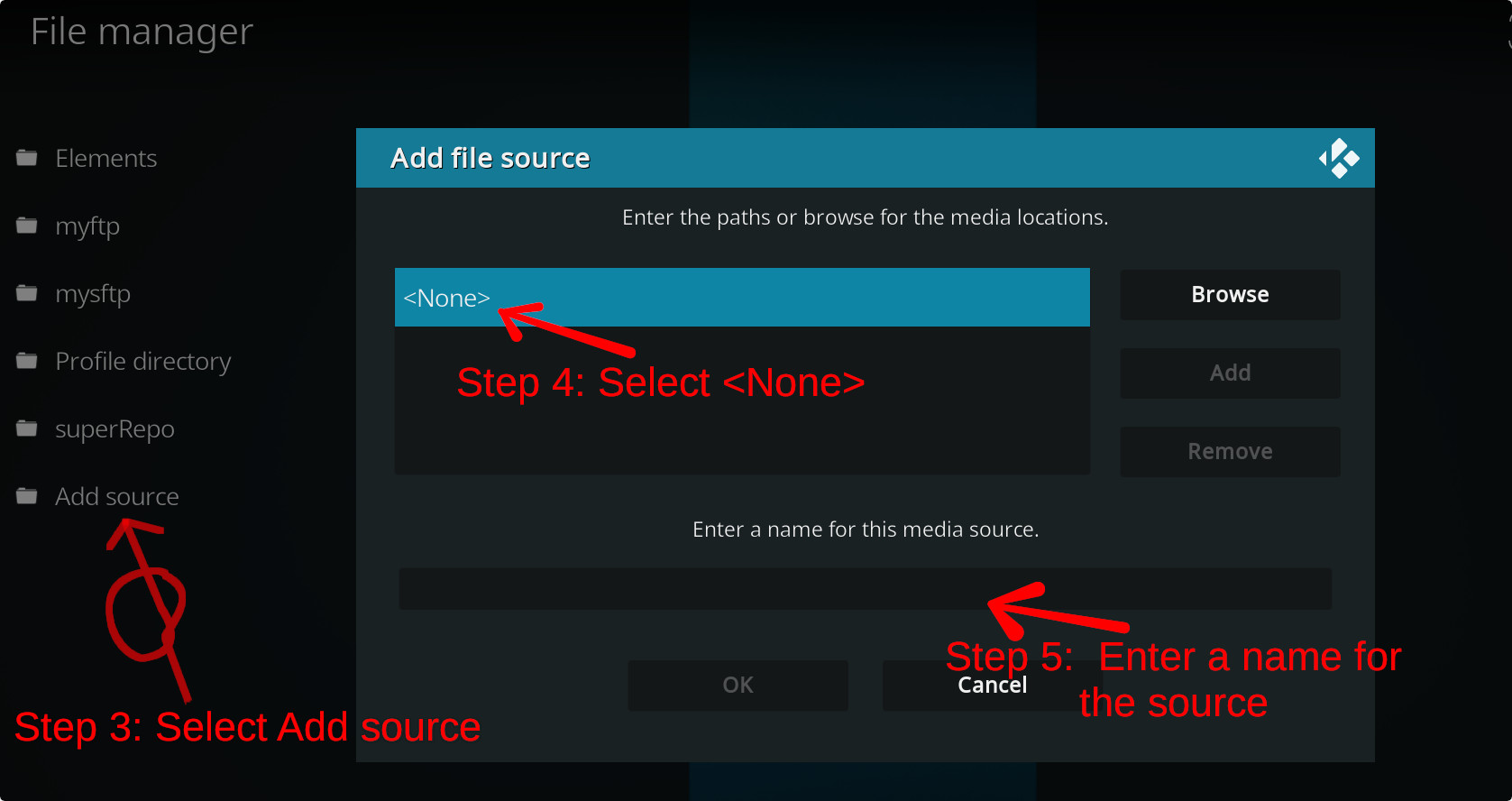
For a full installation guide please click here.
Additional Information
| Updated: | October 24, 2022 |
In Repositories: | |
| Platform: | all |
| License: | GPL |