
Protect your Privacy! use a VPN to download & surf annonymusly.
Identifying data, such as your IP: 216.73.216.6, is visible when you surf the Net. When using a VPN, your data is being switched by that of the VPN and not even your ISP can tell where you surfed.
Better safe than sorry...
Helper module for Kodi add-ons
Description
Helper module for commonly needed tasks
News
08/18/2021 Forked from phil65 master prior to python3/future changes. Renamed addon, updated dependencies, adjust to latest kodi API changes. Updated version to 1.3.0 due to the significant changes (particularly name changes). Changed youtube.py to require YouTube api_key to be passed as argument. Hard-coded key no longer used. Resolved Kodi crash issue caused by a known limitation of numpy, which was indirectly loaded by another library, PIL. Forced numpy to NEVER be loaded. The use of numpy provided a small performance improvement.
How To Install
Direct installation
Via Repository
Via Directory
- Download the addon.
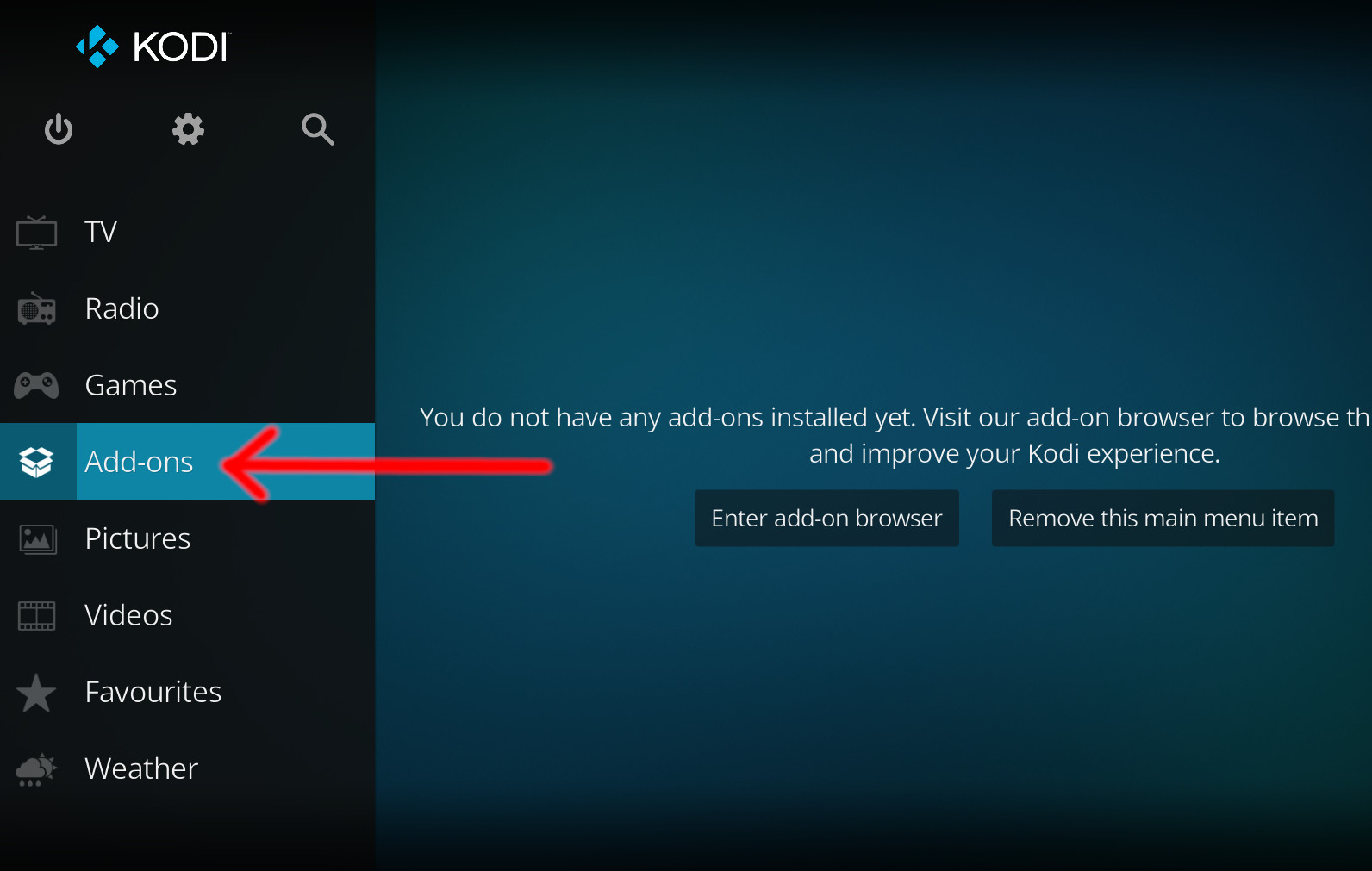
- Open up Kodi and navigate into Add-ons.
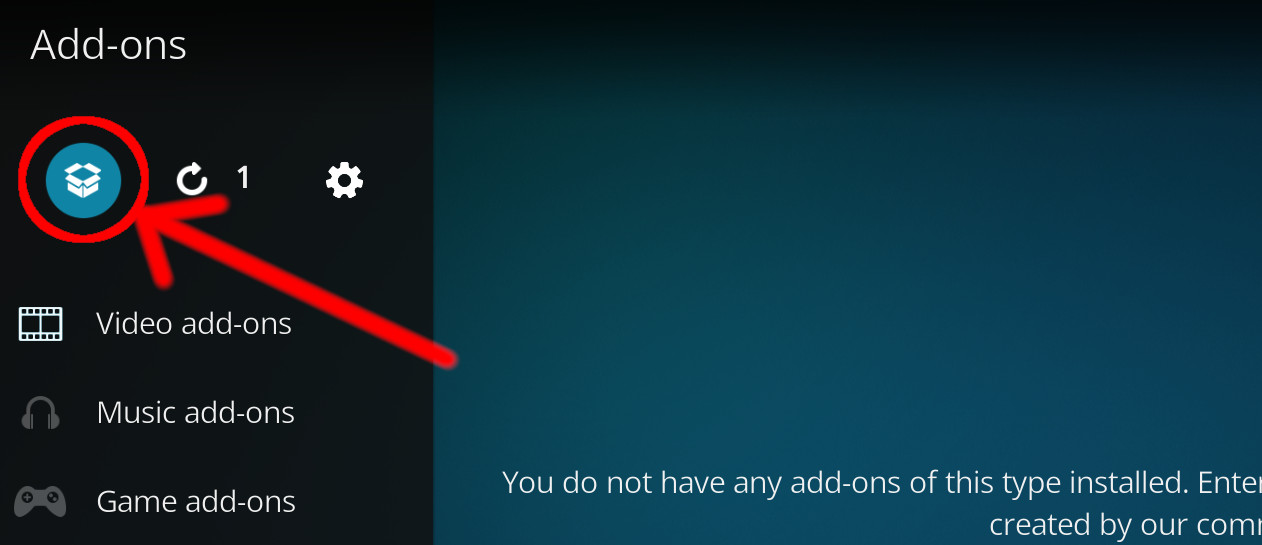
- Click the open box icon (above the side-menu).
- Select Install from zip file.
- If this is the first addon you install, Kodi will warn you about installing addons from "unknown sources" for security reasons - it's your call.
- In any case, Kodi will warn you, you may not get auto-updates for this addon.
- Navigate into the location where you've downloaded the addon to and select it to Install.
For a full installation guide please click here.
Additional Information
| Updated: | September 13, 2021 |
In Repositories: |
|
| Platform: | all |
Alternative Sources: | Download 1 |
| License: | LGPL-2.1-only |
Depends On: |