Unlock geo-blocked content! and stay safe & annonymus online.
Some content on the Internet is blocked depending on your location. If you want to unblock content while staying safe & annonymus online - simply, install a VPN and get ready to access content you have been barred from thus far.
Download NordVPNTV and VOD with Vectra TV Smart GO
Disclaimer
This add-on is unofficial and is not endorsed or supported by Vectra. Any trademarks used belong to their owning companies and organisations.
Description
Key Features: • Live channels - access to Vectra TV channels • Search - search for TV channels • Catchup - access to broadcast up to 7 days back • Favorite - list of your favorite TV channels • VOD - a library containing thousands of items
News
Changed icon and fanart Code cleanup and some fixes Added error message for CATCHUP_NOT_ACTIVE_FOR_CHANNEL string Fixed API, requests and video session Fixed coloring for catchup programs
How To Install
Direct installation
Via Repository
Via Directory
- First make sure you have the repository installed
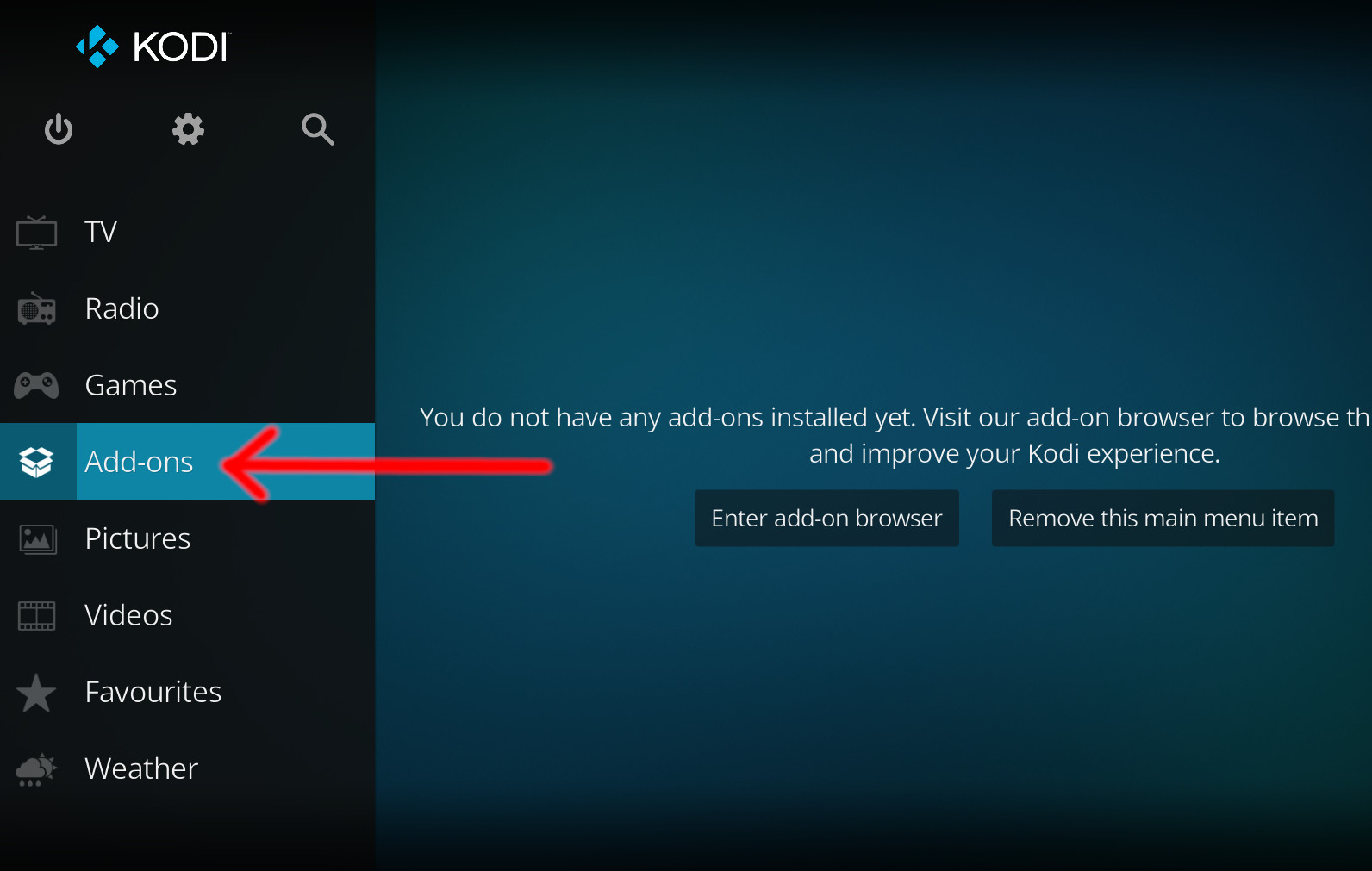
- Open up Kodi and navigate into Add-ons.
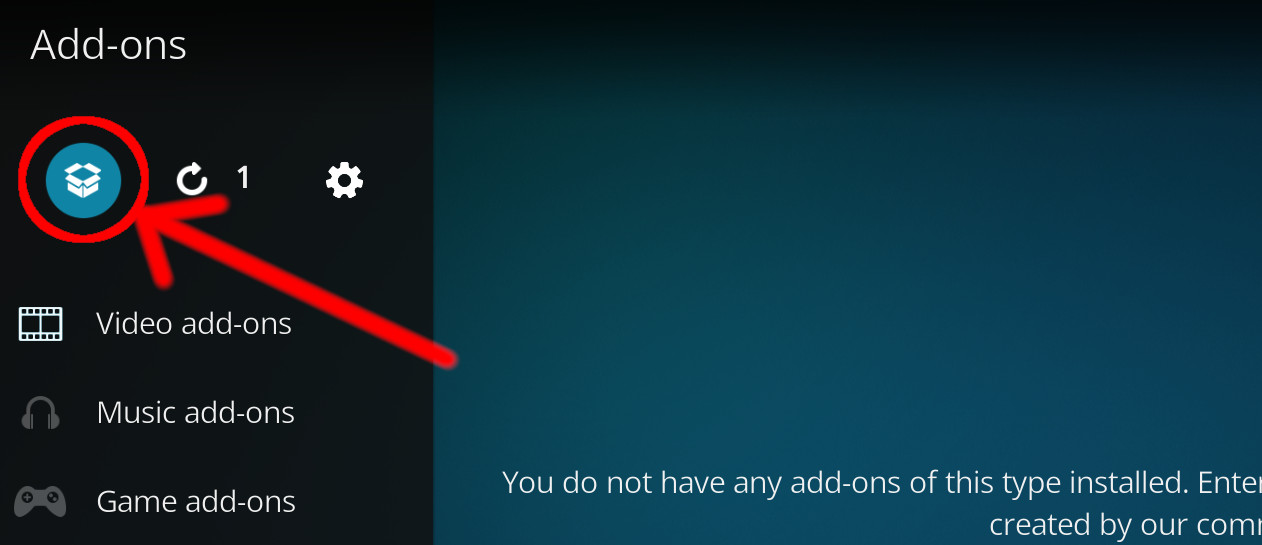
- Click the open box icon (above the side-menu).
- Select Install from repository.
- If you have at least one repository (besides the default) installed:
Select the repository you wish to install from.
- If you have at least one repository (besides the default) installed:
- Select the category the addon belongs to, in this case it should be video.
- Select Vectra TV Smart GO.
- Click Install.
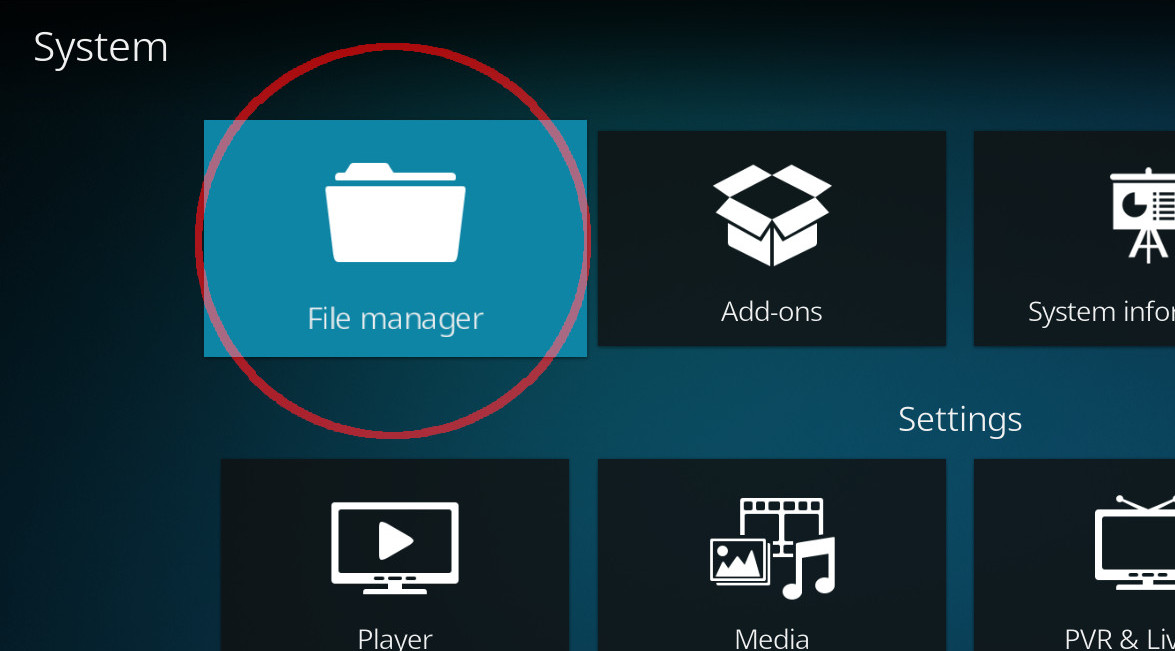
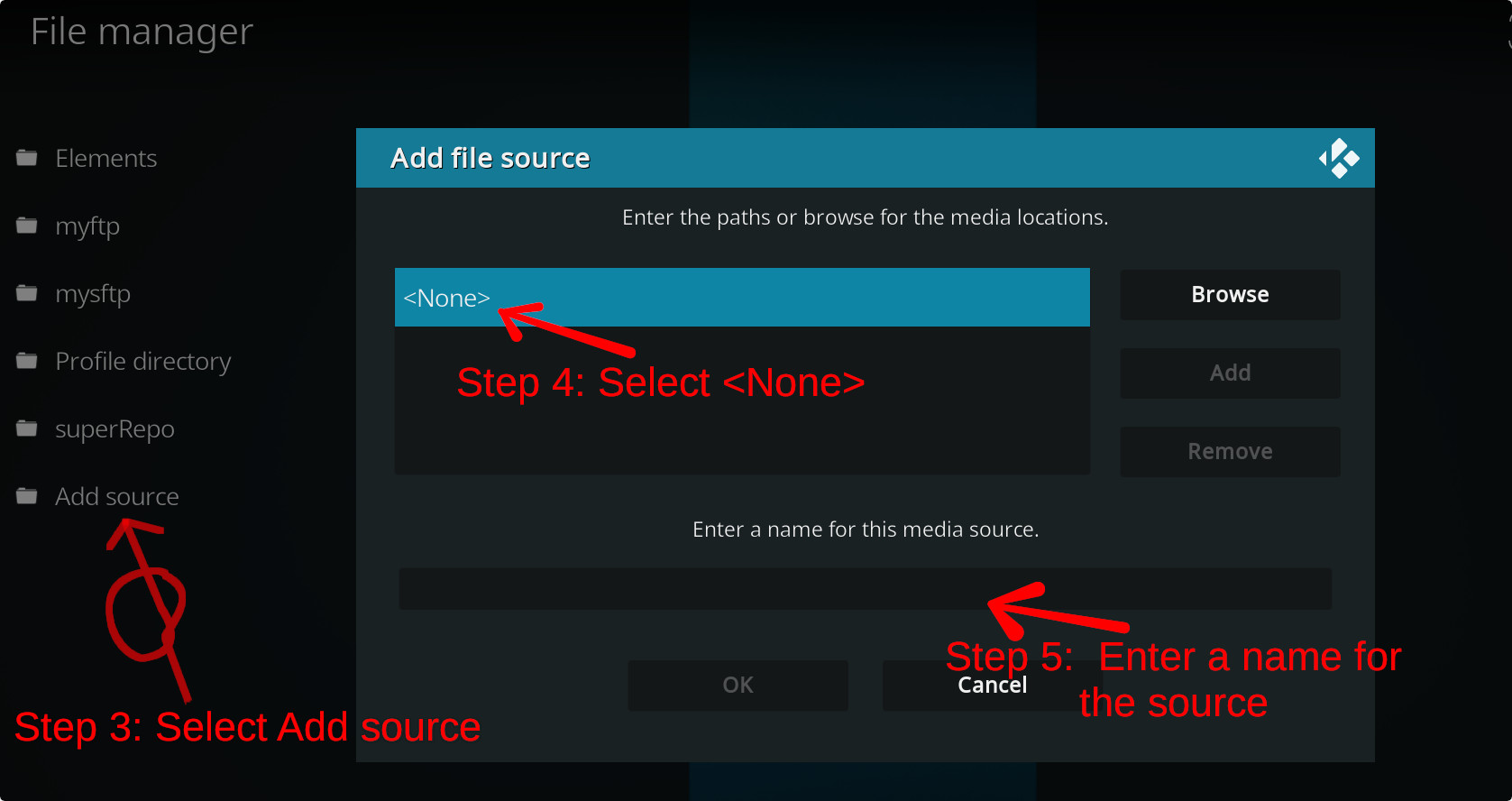
For a full installation guide please click here.
Additional Information
| Updated: | April 19, 2022 |
In Repositories: | |
| Platform: | all |
| License: | MIT |
Depends On: |