Unlock geo-blocked content! and stay safe & annonymus online.
Some content on the Internet is blocked depending on your location. If you want to unblock content while staying safe & annonymus online - simply, install a VPN and get ready to access content you have been barred from thus far.
Download NordVPN
ServusTV Mediathek
Disclaimer
The author does not host or distribute any of the content displayed by this addon. The author does not have any affiliation with the content providers.
Description
ServusTV is an Austrian private television station. From entertainment and culture to documentaries and sports - ServusTV is aimed at a cosmopolitan and versatile audience in the German-speaking TV area.
News
Version 3.0.6+matrix.1 (20.07.2022) - fixed: Livestream in alter Form mittels m3u8 abspielen (Neue Url für DE+AT)
How To Install
Direct installation
Via Repository
Via Directory
- First make sure you have the repository installed
- Open up Kodi and navigate into Add-ons.
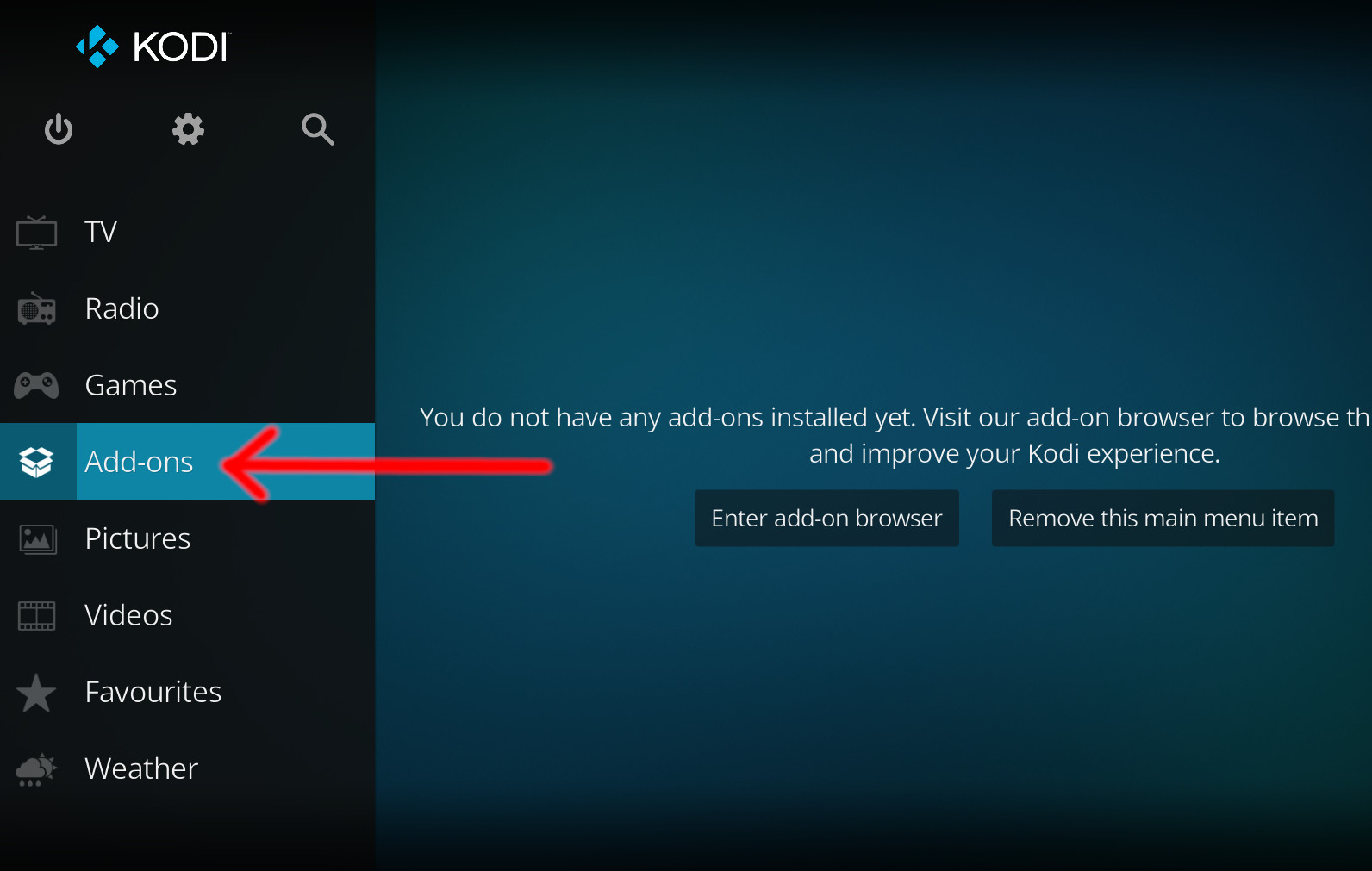
- Click the open box icon (above the side-menu).
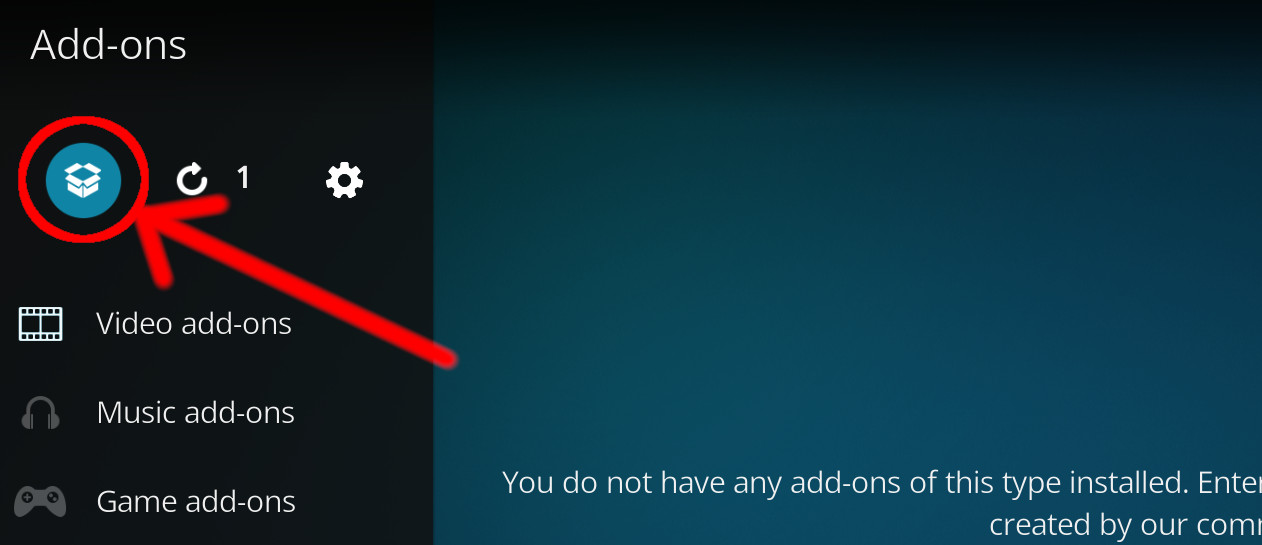
- Select Install from repository.
- If you have at least one repository (besides the default) installed:
Select the repository you wish to install from.
- If you have at least one repository (besides the default) installed:
- Select the category the addon belongs to, in this case it should be video.
- Select ServusTV.com.
- Click Install.
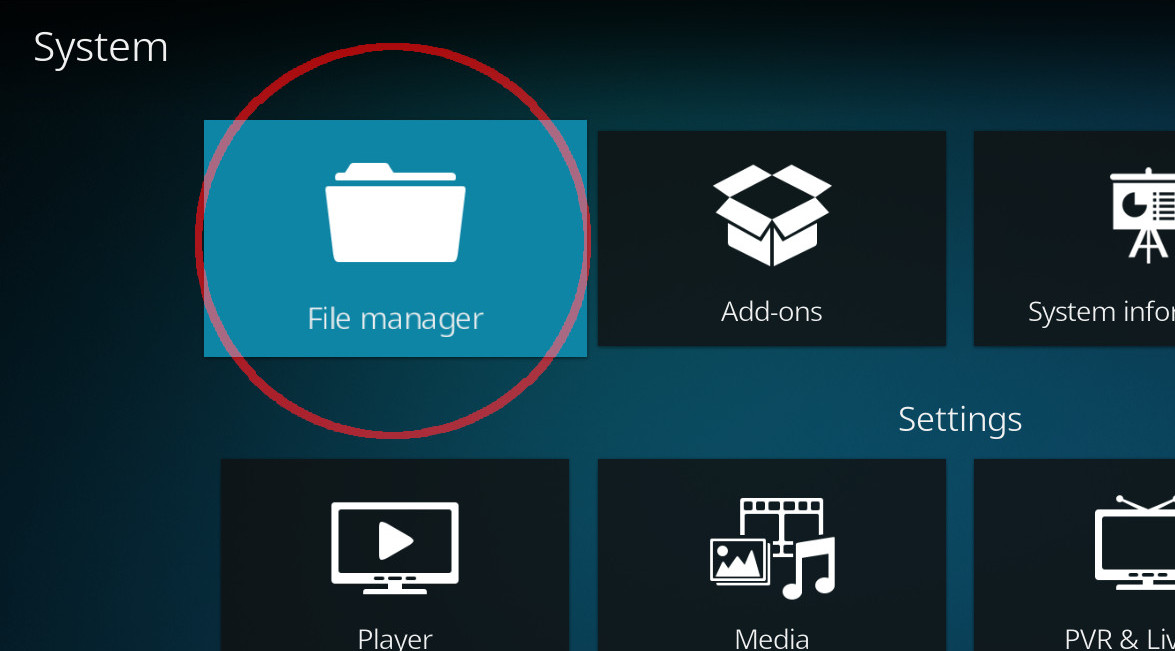
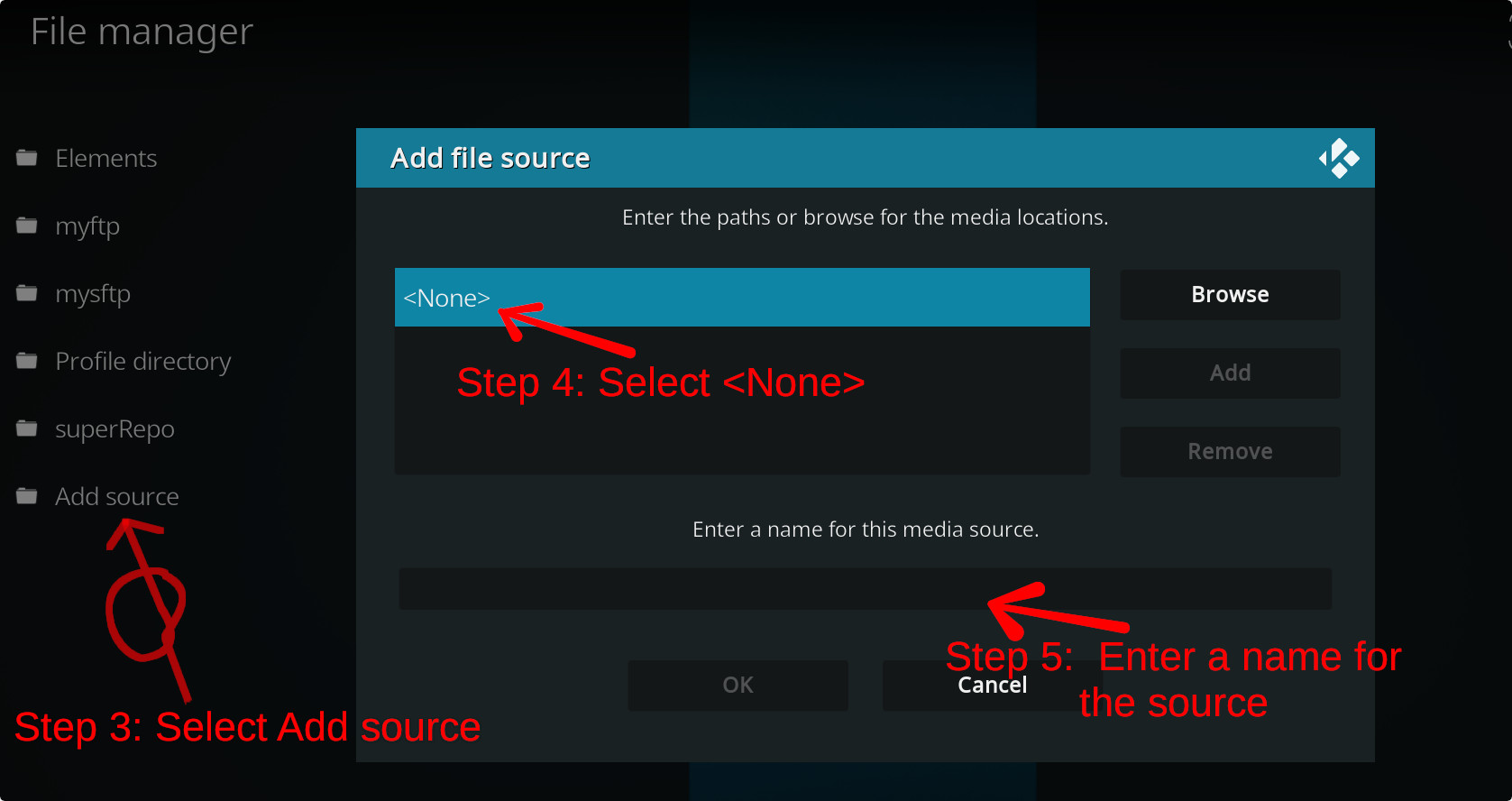
For a full installation guide please click here.
Additional Information
| Updated: | May 26, 2023 |
In Repositories: |
|
| Platform: | all |
| License: | GNU GENERAL PUBLIC LICENSE. Version 3, June 2007 |
Depends On: |