
Protect your Privacy! use a VPN to download & surf annonymusly.
Identifying data, such as your IP: 216.73.217.145, is visible when you surf the Net. When using a VPN, your data is being switched by that of the VPN and not even your ISP can tell where you surfed.
Better safe than sorry...
Watch screencasts about Rails from http://railscasts.com
Description
RailsCasts is produced by Ryan Bates (rbates on Twitter and ryanb on GitHub). A free episode will be released every other week featuring tips and tricks with Ruby on Rails. The screencasts are short and focus on one technique so you can quickly move on to applying it to your own project. The topics target the intermediate Rails developer, but beginners and experts will get something out of it as well. This add-on is unofficial, in case of any support contact the author directly (via http://github.com/hrwath)
How To Install
Direct installation
Via Repository
Via Directory
- Download the addon.
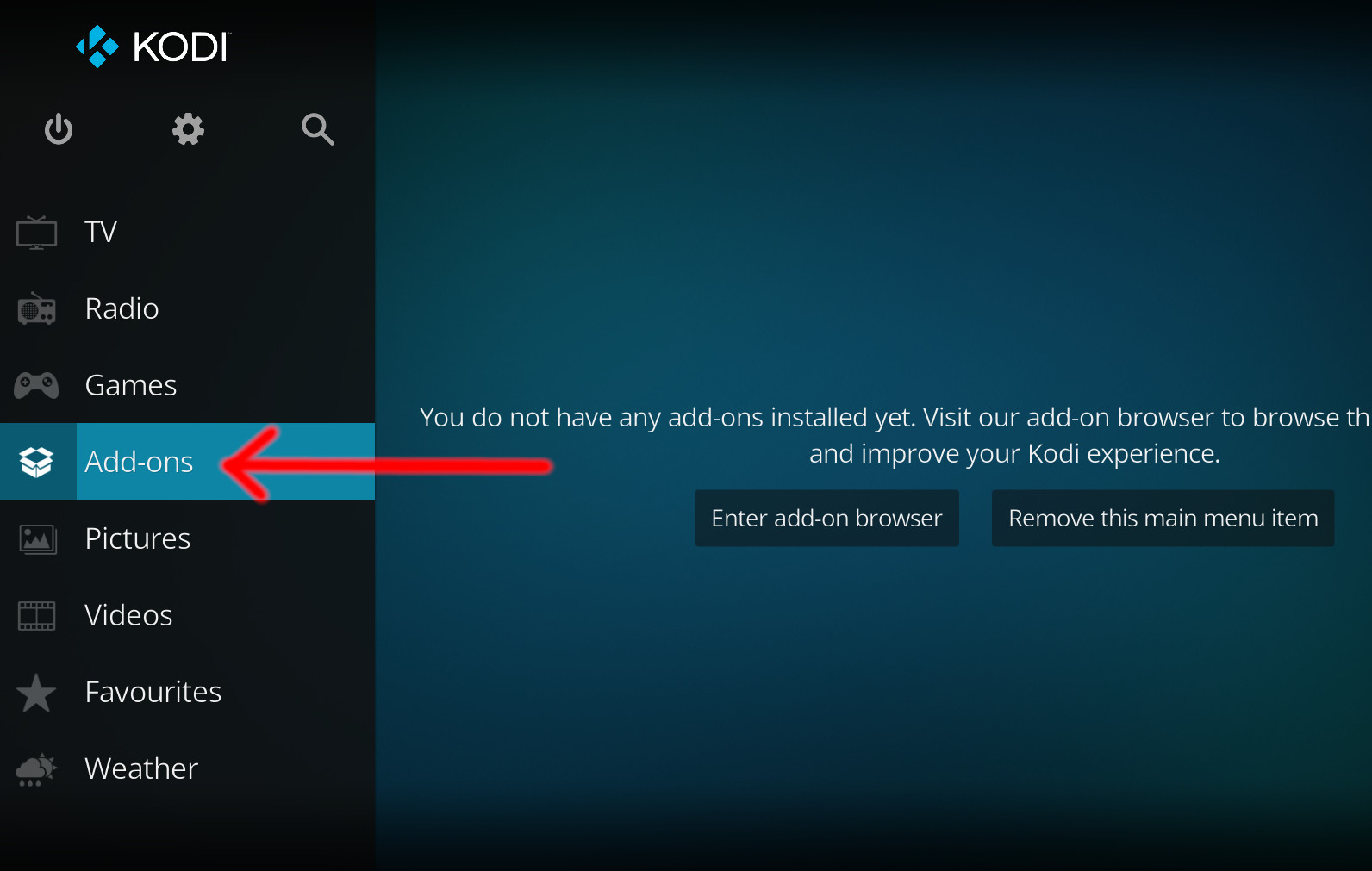
- Open up Kodi and navigate into Add-ons.
- Click the open box icon (above the side-menu).
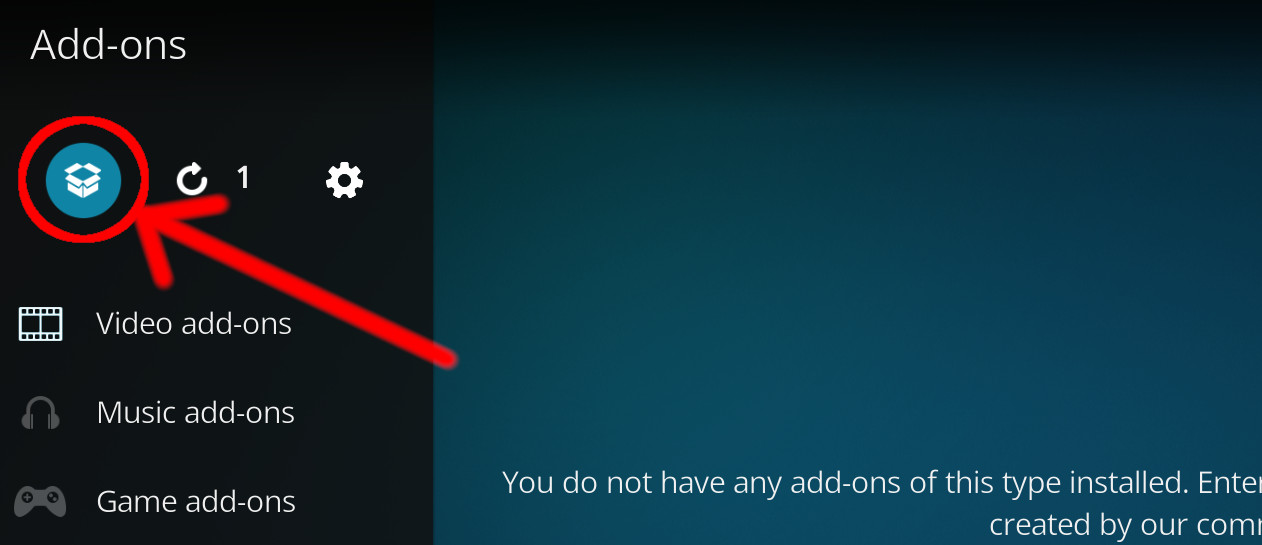
- Select Install from zip file.
- If this is the first addon you install, Kodi will warn you about installing addons from "unknown sources" for security reasons - it's your call.
- In any case, Kodi will warn you, you may not get auto-updates for this addon.
- Navigate into the location where you've downloaded the addon to and select it to Install.
For a full installation guide please click here.
Additional Information
| Updated: | March 03, 2020 |
In Repositories: | |
| Platform: | all |
| License: | Not specified |
Depends On: |