Help other people decide, vote up or down?
X
Bypass geo-blocked content! and stay safe & annonymus online.
If you're blocked from viewing content based on your location, consider using a VPN to unblock it. A VPN is a service that switches your online identity with another one so that you appear online as if you're from another geographical location.
Check out NordVPNNintendo - DS (melonDS)
Description
melonDS aims at providing fast and accurate Nintendo DS emulation.
How To Install
Direct installation
Via Repository
Via Directory
- Download the addon.
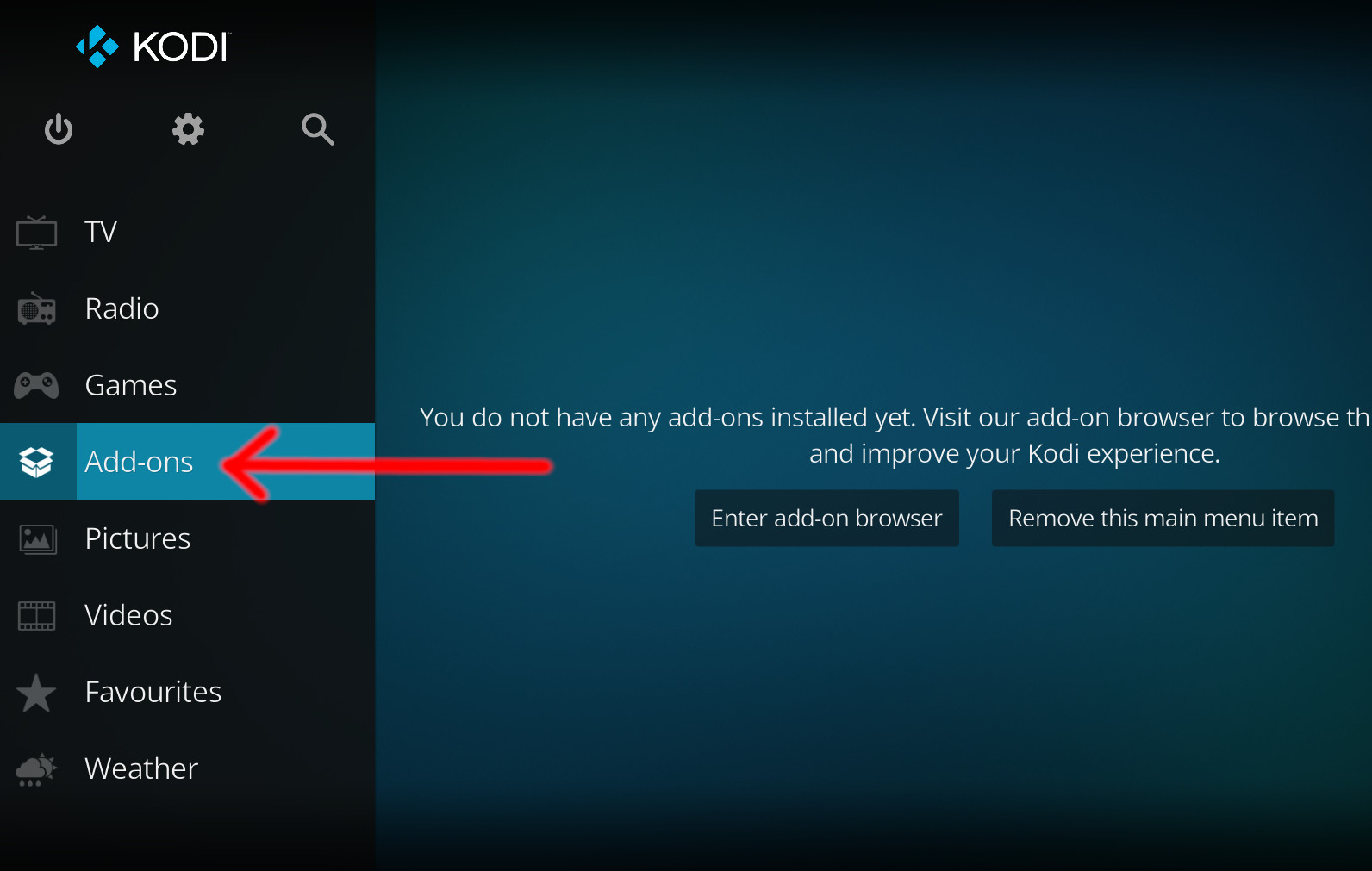
- Open up Kodi and navigate into Add-ons.
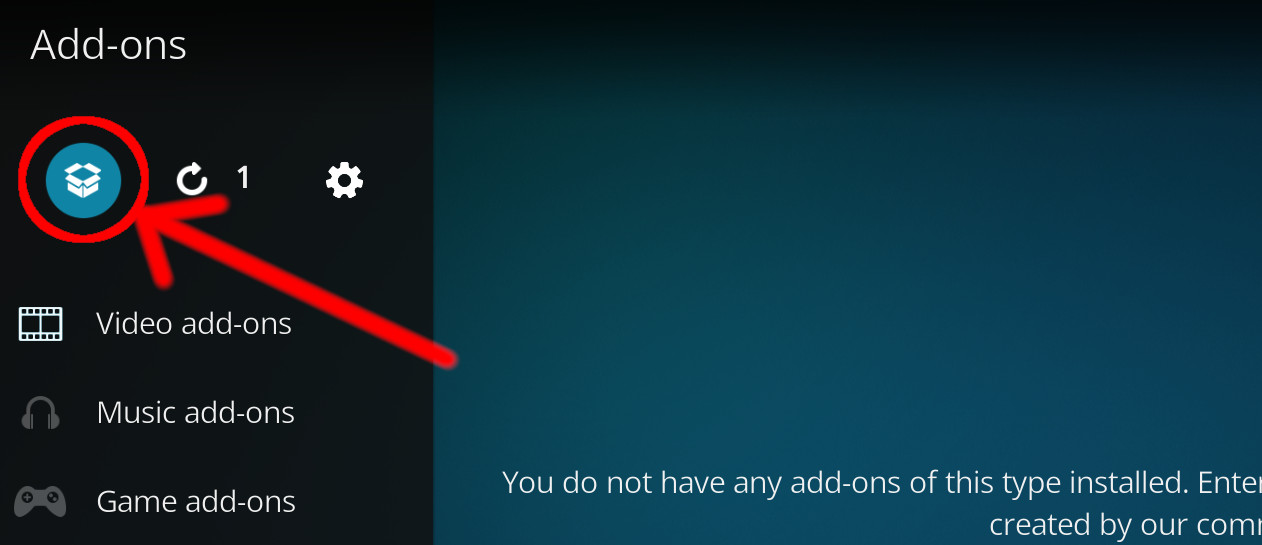
- Click the open box icon (above the side-menu).
- Select Install from zip file.
- If this is the first addon you install, Kodi will warn you about installing addons from "unknown sources" for security reasons - it's your call.
- In any case, Kodi will warn you, you may not get auto-updates for this addon.
- Navigate into the location where you've downloaded the addon to and select it to Install.
For a full installation guide please click here.
Additional Information
| Updated: | April 27, 2026 |
In Repositories: |
|
| Platform: | osx-arm64,windows-x86_64,osx-x86_64,android-aarch64,android-armv7,windows-i686 |
Alternative Sources: | Download 1Download 2Download 3Download 4Download 5 |
| License: | GPLv3 |
Depends On: |